
This is an opportunity to show off your technical skills, lateral thinking, creativity and imagination! Come feel free to take part as much or as little as you like. No previous experience with 3D graphics is required, just a little initiative, openness to learning and willingness to share what you’ve learned with others.
Categories
There are three fun categories to take part in. This allows you to submit one, two or even three entries!
Category #1 – General
This is an open-ended, anything-goes category. This is designed to allow you to show any kind of cool visualization you like, without having to worry about counting lines of code, or conforming to any particular aesthetic constraint. The shader could draw a cool picture. Or it could do something that isn’t visually interesting, but unique in some other way. If you like, feel free to peruse and take advantage of Shadertoy’s environmental features and use them as much or as little as you wish. Some of them are pretty interesting, although you can also do a lot without them, too.
Category #2 – Code Golf
It sounds simple, try to make something cool using as few characters as possible. Easier said than done, right? This category is named after the concept in golf where you need to have a low score to win. And this description is saying ‘characters’ in your shadercode here, since ‘lines of code’ is easily cheesed by just putting a long program on one line, of course. Are you up to the challenge? The idea is to try and do a lot using a little, syntactically.
For the purposes of code golf, comments and newlines do not count as characters. Other whitespace characters do count.
Category #3 – Challenge
This is a challenge to try to create an interesting image or animation that looks like (you pick which one):
- A rainbow inside of a heart, OR
- A sun with rays
You can see these are English-language descriptions, not some kind of tight specification. There’s some open-endedness- what should the heart look like? Is the rainbow U-shaped, or is it like a rainbow gradient across the whole heart? For the sun, how should the rays look? Could the sun be wearing sunglasses? There are intentionally some pre-chosen aesthetic constraints, along with some open-endedness as part of the challenge. Create and share your own interpretation with this challenge category.
Rules
- Do write a shader and submit it against the desired category, for each category you wish to enter.
- Do submit your own shader (honour system!), rather than one written by someone else.
- You can use the example submissions as a starting point.
- Submissions must conform to Hackforge Code of Conduct.
- To keep things consistent and fair, the shader needs be expressed in GLSL and run in Shadertoy’s environment.
- Animation, and interactive things like keyboard+mouse input are permitted but not required.
- You may enter multiple categories if you want. Not more than one per category.
- You need to be able to explain (e.g., through comments) how the shader works.
- Comments will not count against you in the ‘code golf’ category.
- Since submissions are shared publicly (e.g., by setting the shader’s visibility to “public”), only submit shaders that you are okay with sharing publicly. E.g., they don’t contain personal information.
- Since the software licenses of shaders are up to their author, do not submit shaders with a software license that makes them incompatible with the contest requirements described here.
- The shader needs to execute at a framerate of at least 1fps, in something that resembles stableness.
- Do not intentionally try to cause GPU timeouts.
If you have any questions or need help, feel free to e-mail claire@hackf.org.
Submission method
The submission deadline is Friday, September 4th, 2026 at 11:59pm Eastern time.
To submit an entry, e-mail your Shadertoy URL to claire@hackf.org before the deadline. Make sure your shader can be accessed by others.
Specify how you ran and tested the shader- what web browser, graphics card and display size, since some shaders are not very portable to different viewport sizes. Judges will make a best effort to evaluate your shader similar to the way in which you tested it. Judges have access to a few different computer environments. You’ll have an advantage if your entry is easy to run without difficult requirements.
Please include any pertinent instructions, for example an explanation of the controls (e.g., keyboard input), if any.
Judging and Prizes
After submissions are received, judging will be performed by a panel of Hackforge directors.
Judges will review your code, not only its output. There are can be technical merits to how something is done, not simply how it looks. Someone already asked if they can submit a shader that does a dead simple load of a cool-looking pre-recorded image. Nice try! Of course, you can do that. Although, you probably won’t get extra points for that.
Hackforge staff and directors can not participate in the competition, and cannot win prizes. They may enter submissions for fun, though.
Prizes will be given to winners in each of the three categories:
- General
- Code Golf
- Challenge
Prizes for winners of each of the three categories consist of a $50 Visa gift card, a Hackforge sticker and pin, and recognition in a followup Shadertoy meetup in September. To be eligible to receive prizes, you must be locally available in Windsor, Ontario, Canada, or have access to Canadian E-Transfer, or Paypal. If your circumstances make you not eligible to receive prizes, you’re still warmly invited and absolutely welcome to participate for recognition.
In a followup Shadertoy meetup in September, we’ll showcase all the entries and announce the winners! If you cannot meet in September, no worries- we will also showcase the winners on the Hackforge site.
Example Submissions
Here’s some examples to help you get inspired.
Example for Category #1 – General
The code is:
void mainImage( out vec4 fragColor, in vec2 fragCoord )
{
    // Get screenspace coordinates in the range [0..1] so that we don't
    // have to deal with raw absolute coordinates.
    vec2 uv = fragCoord/iResolution.xy;

    // If X falls on the left half of the screen
    if (uv.x < 0.5)
    {
        // Return white
        fragColor = vec4(1.0, 1.0, 1.0, 1.0);
    }
    else
    {
        // X falls on the right half of the screen
        // Return black
        fragColor = vec4(0.0, 0.0, 0.0, 1.0);
    }
}
Shadertoy link: https://www.shadertoy.com/view/scK3WW
The output looks like:
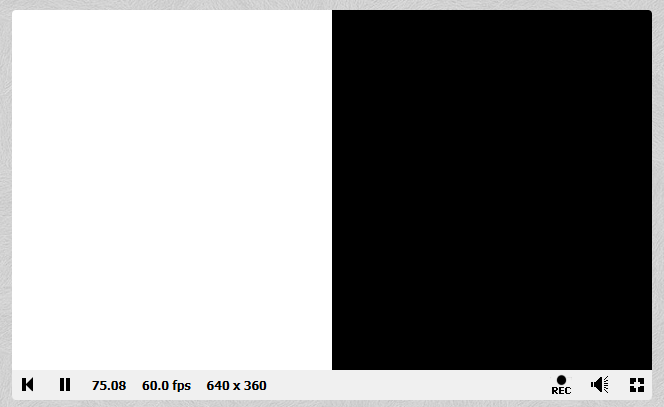
Clearly, this is not too fancy. It renders the left half of the display as white, and the right half as black, returning hardcoded values. You could go with something very simple like this, or you could get inspired and show off something more visually interesting. The general category is super flexible, so it’s up to you.
Example for Category #2 – Code golf
The sample submission looks like:
// This uses example 1 as a starting point.
// Except, with the following ideas applied to reduce code length:
//      - Use short variable names for the inputs, to save letters.
//      - Don't use the intermediate variable 'uv'.
//      - Use the overload of vec4 that takes a single argument.
//
// It's visually equivalent to example 1, but fewer characters.
void mainImage( out vec4 c, in vec2 t )
{
    c = vec4((t/iResolution.xy).x < 0.5? 1.0 : 0.0);
}
It so happens, the visual output for this one is the same as the first one!
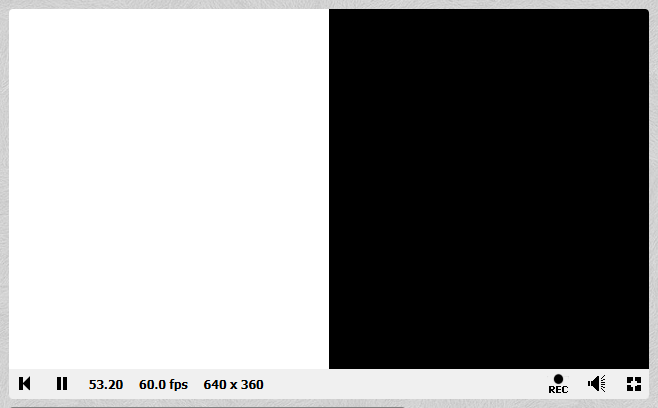
Shadertoy link: https://www.shadertoy.com/view/sfK3WW
Except, you notice the code is way smaller, about 20% the size. You can see the code reduction ideas described in the comments. For this type of challenge it can help to write the shader straightforwardly first, then think about ways to try to reduce the code size.
Example for Category #3 – Challenge (Rainbow heart)
The sample submission looks like:
void mainImage( out vec4 fragColor, in vec2 fragCoord )
{
    // Normalized pixel coordinates (from 0 to 1)
    vec2 uv = fragCoord/iResolution.xy;

    // In the background, use a red color
    vec4 bg = vec4(1.0, 0.0, 0.0, 1.0);

    // For the foreground, use a multi-colored gradient
    vec4 fg = vec4(uv.x, 1.0-uv.x, 1.0, 1.0);

    // Compare X and Y to 'cut out' the background in
    // the shape of a heart.
    if (uv.x + uv.y < 0.5) fragColor = bg;
    else if ((1.0 - uv.x) + uv.y < 0.5) fragColor = bg;
    else if (uv.x < 0.1) fragColor = bg;
    else if (uv.x > 0.9) fragColor = bg;
    else if (uv.x + uv.y > 1.7) fragColor = bg;
    else if ((1.0-uv.x) + uv.y > 1.7) fragColor = bg;
    else if (uv.x + uv.y > 1.3 && uv.x < 0.5) fragColor = bg;
    else if ((1.0 - uv.x) + uv.y > 1.3 && uv.x > 0.5) fragColor = bg;
    else fragColor = fg;

}
Shadertoy link: https://www.shadertoy.com/view/7cV3WW
The output looks like:
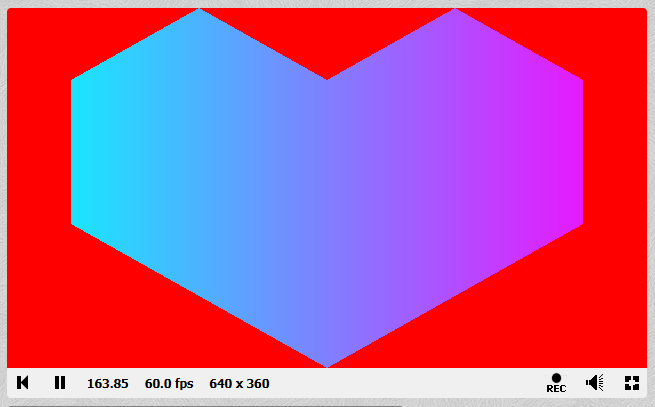
This interpretation has only some colors of the rainbow, but it does have them in a cool gradient. It uses comparisons against X and Y position to create a sort of heart shape by ‘cutout’, with a red background. Perhaps you can imagine creative ways to create different shapes this way, or alternative manners of colouring the foreground and background.
Example for Category #3 – Challenge (Sun with rays)
The sample submission looks like:
void mainImage( out vec4 fragColor, in vec2 fragCoord )
{
    // Normalized pixel coordinates (from 0 to 1)
    vec2 uv = fragCoord/iResolution.xy;

    // Use the expression X^2 + Y^2 to define the area of a circle
    uv.x -= 0.5;
    uv.y -= 0.5;
    float dsq = (uv.x*uv.x) + (uv.y*uv.y);

    if (dsq < 0.1)
    {
        // If we're inside the circle
        // For the foreground, use a yellow gradient
        vec4 fg = vec4(1.0, 1.0, 0.0, 1.0);
        float fade = 1.0 - (dsq*5.0);
        fg.r = fade;
        fg.g = fade;
        fragColor = fg;
    }
    else
    {
        // If we're outside the circle
        // In the background, use a blue sky color
        vec4 bg = vec4(0.0, 0.0, 1.0, 1.0);
        fragColor = bg;
    }
}
Shadertoy link: https://www.shadertoy.com/view/7fKGDW
The output looks like:
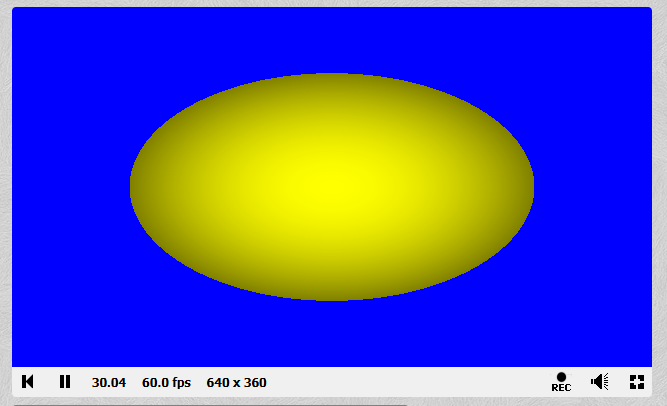
This uses the well-known equation of a circle you might remember: point {X, Y} is inside a circle if X2 + Y2 is less than the radius of the circle. There are imaginative ways to represent geometry and shapes in screen space like this. To accomplish “rays”, this uses a fade-out affect where pixels further away from the center are more dimmed out, and ones in the middle are brightest. Perhaps you can think of other ways of representing sun rays, or doing these kinds of effects.
Helpful Tips
- Remember that your shader is executed once per pixel! Not one time in total.
- Often, hardcoded literal numbers like ‘0’ have to be written as ‘0.0’ instead of just ‘0’ to indicate the type.
- If you’re more used to HLSL, don’t worry- GLSL is very similar. Remember to use e.g., vec4 instead of float4.
- If you’ve never used GLSL, don’t worry either! The structure and syntax are similar to C and other C-like languages. You can use constructs like “if” and “for”, and functions, for example.
- Math functions like “sin” (sine), “cos” (cosine), and “abs” (absolute value) are built-in functions for the language.
- Shadertoy provides ways of loading textures, and even having the contents of those textures come from another shader. It’s very flexible.
- Don’t be intimidated by some of the other shaders showcased globally on the site. Many are the products of loads of tinkering and are derivatives of other works, not created completely from scratch. You’ll deliver your best work if it represents your creative vision and technical skills, not someone else’s.
- Also, don’t be misled into thinking that real 3D games deliver their full rendering using these kinds of techniques. Certainly, they sometimes do, but remember Shadertoy only exposes fragment shaders, and not a full 3D pipeline. This leads to a lot of shaders representing a kind of procedural geometry in the fragment shader, which is appropriate for these demos, and not typically done in real applications.
Resources
Here’s some helpful resources if you’d like them for getting started:
- Official Shadertoy documentation
- Tutorial: A gentle introduction to Shadertoy
- Tutorial: Shadertoy Series
- Youtube tutorial – Shadertoy for absolute beginners
- GLSL reference page